How to Choose the Right Dental Practice Management Software
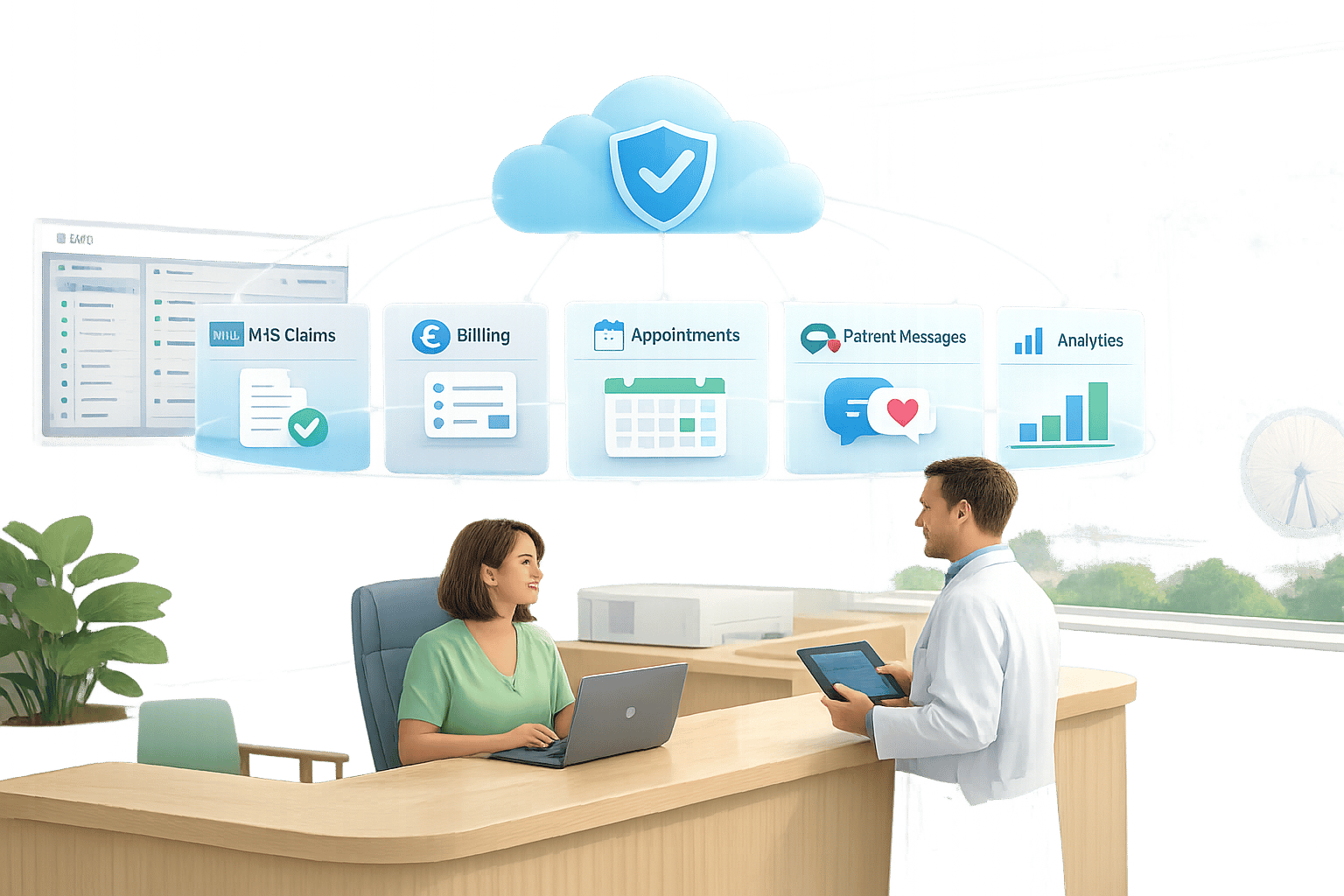
Choosing the right dental practice management software (DPMS) is crucial for running a smooth, efficient practice. A good system integrates scheduling, patient records, billing, and communication into one platform, saving time and reducing errors. For UK practices, compliance with CQC and GDPR regulations is essential, making the choice even more important.
Key Steps to Choosing the Best DPMS:
- Define Your Needs: Identify clinical, administrative, and compliance requirements.
- Cloud vs Server: Decide between cloud-based (flexible, automatic updates) or server-based (local access during outages).
- Evaluate Features: Look for scheduling tools, automated reminders, NHS/private billing, and reporting capabilities.
- Understand Costs: Account for subscription fees, data migration, training, and add-ons.
- Test Before Committing: Trial the software with your team to ensure it fits daily workflows.
Quick Overview of Benefits:
- Efficiency: Automates admin tasks like reminders and invoicing.
- Compliance: Supports GDPR and CQC requirements.
- Patient Retention: Features like SMS reminders can reduce missed appointments by 20–30%.
- Cost Savings: Cloud systems often reduce IT and infrastructure expenses by 20–30% over five years.
Choosing the right system ensures smoother operations, better compliance, and improved patient care. Let’s dive into the details to help you make an informed decision.
Key Benefits of Dental Practice Management Software for UK Practices
Dental practice management software does far more than just organise schedules. It brings together clinical, administrative, and financial workflows, allowing your team to focus less on repetitive tasks and more on patient care. For UK practices managing both NHS and private patients, this integration is especially important. Handling two billing structures, recall intervals, and treatment plans in separate systems can create daily inefficiencies. By unifying these workflows, the software helps streamline both clinical and business operations.
The benefits extend across the entire team. Reception staff can manage NHS bands, private fees, and membership plans from a single interface. Clinicians gain easy access to charting, treatment history, and clinical notes without toggling between platforms. Meanwhile, practice owners can monitor chair utilisation, outstanding balances, and recall performance. This visibility supports smarter decisions on staffing, opening hours, and service expansion.
Core Features of Dental PMS Software
Certain features have a particularly strong impact on UK practices:
- Flexible appointment scheduling for multiple surgeries and clinicians
- Automated patient reminders via SMS and email
- Dental charting and treatment planning with pre-designed clinical note templates
- Billing integration for both NHS claims and private fees
- Detailed reporting filtered by clinician, treatment type, or payment method
For NHS practices, features like FP17 claim support, banding, and exemption tracking are non-negotiable. Without these, staff are forced to manually re-enter data into separate portals, increasing the risk of errors and rejected claims. On the patient communication side, automated recalls segmented by treatment type - such as NHS check-ups, private hygiene appointments, or orthodontic reviews - help maintain strong recall rates and steady revenue. For example, a Birmingham practice that implemented automated recall texts saw its retention rate jump from 68% to 82% in just eight months, resulting in an additional £84,000 in annual revenue without extra marketing costs [1].
While these features can bring significant improvements, choosing the wrong software can lead to serious challenges.
Risks of Choosing the Wrong Software
If the scheduling system is slow or rigid, or if reporting tools are unclear, teams may revert to using paper diaries and spreadsheets. This fragmentation not only disrupts workflows but also undermines team confidence.
UK practices face additional compliance concerns. Software lacking detailed access controls or audit logs can make it difficult to track who accessed or modified records - a key requirement for CQC inspections and indemnity reviews. If patient consent forms, medical histories, or safeguarding notes are scattered across disconnected systems, critical information may be overlooked. This can lead to errors or an inability to provide evidence when needed, potentially resulting in GDPR violations and costly mistakes. Choosing software without these safeguards puts practices at unnecessary risk.
Step 1: Define Your Practice’s Clinical and Business Needs
Before diving into software demos or collecting quotes, take a step back and map out your practice’s daily workflows. Skipping this step can lead to costly mistakes, like ending up with a system that doesn’t handle NHS claims, integrate with X-ray units, or manage waiting lists. Defining your needs upfront creates a solid foundation for evaluating software features later.
Clinical Needs
Start by outlining the core clinical services your practice provides. Is your focus NHS-only, a mix of NHS and private, or does it include specialised treatments like implants, orthodontics, or cosmetic dentistry? Engage your clinicians and dental nurses to identify common delays or errors in their workflows, such as misplaced lab prescriptions or missing consent forms.
Key features to prioritise include:
- Customisable dental charting: Ensure it supports perio charting and BPE recording.
- Structured treatment planning: Look for systems that offer costed options for patients.
- Imaging integration: Radiographs should seamlessly appear in the patient’s record.
Additionally, check if the software supports clinical audit reports like antibiotic prescribing or radiograph justification logs. These are increasingly scrutinised during CQC inspections. Systems that use structured data fields (e.g., dropdown menus and tick-boxes) are much easier to audit compared to free-text entries, so this is another feature worth prioritising.
Administrative and Front-Desk Needs
Your reception team needs software that aligns with how they actually work, not how a vendor assumes they should. Document your booking processes, including appointment lengths for different treatments, NHS versus private session allocations, and clinician-specific preferences. Flexible diary templates are essential here.
If your DNA (Did Not Attend) rate is over 8%, consider prioritising features like automated SMS or email reminders. These tools, along with online booking systems, have been shown to reduce DNA rates by up to 30% [4]. A waiting list tool that allows you to fill last-minute cancellations quickly can also make a big difference. Finally, think about how your patients prefer to communicate - some practices benefit greatly from two-way messaging, allowing patients to confirm or reschedule appointments without needing to call.
Compliance and Security Requirements
UK practices are required to retain sensitive data for at least 11 years for adults and until a child’s 25th birthday. This makes reliable data storage, backup systems, and export capabilities essential, not optional.
Create a simple matrix of your staff roles (dentist, hygienist, receptionist, practice manager, locum) and define what each role should and shouldn’t be able to access. Use this during demos to ensure the software offers appropriate access controls. Verify that data is hosted in UK or EEA centres, review the vendor’s data processing agreements, and confirm the system has audit trail features. Some platforms, like Remedico, offer built-in audit logs, encrypted cloud storage, and GDPR-compliant data handling, making compliance easier for your team.
Once you’ve mapped out your needs, categorise them into must-haves (e.g., NHS claim handling, imaging integration, GDPR-compliant storage) and should-haves (e.g., online booking, analytics dashboards). This list will act as your scoring sheet during demos, ensuring you evaluate dental PMS software with a clear and informed perspective.
Step 2: Cloud vs Server-Based Software
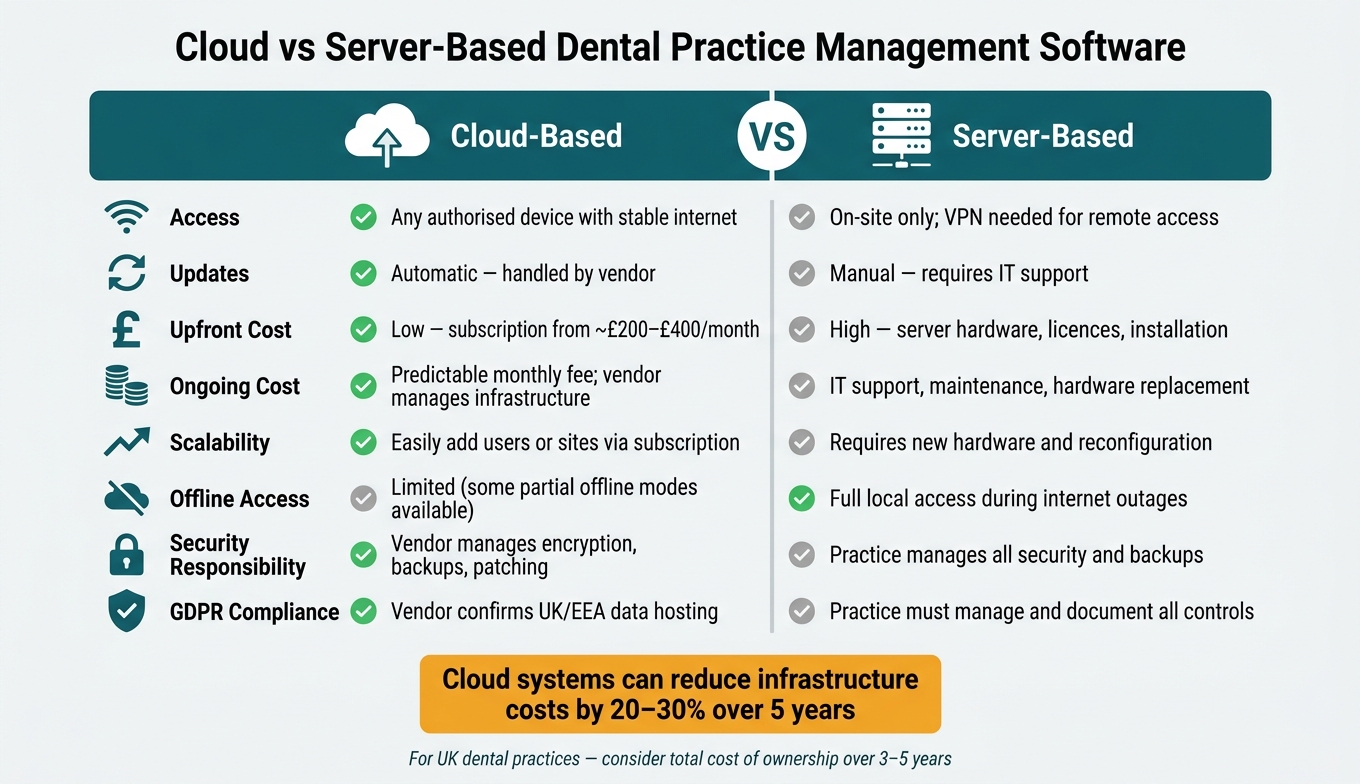
@figure {Cloud vs Server-Based Dental Software: Full Comparison Guide} :::
Once you’ve outlined your clinical, administrative, and compliance requirements, it’s time to decide where your dental PMS software will be hosted. This choice impacts how your team accesses the system daily and how operations are affected during broadband outages. Picking between cloud-based and server-based systems is a crucial step in balancing accessibility with cost management.
Cloud-Based Software Advantages
Cloud-based dental PMS stores your data on the vendor’s servers, accessible via a web browser. This means any authorised device - whether it’s a laptop at home, a tablet at the front desk, or a phone between appointments - can connect, as long as there’s a stable internet connection. This flexibility ties in perfectly with the streamlined workflows discussed in Step 1 and is particularly useful for practice managers working remotely or principals managing multiple sites.
Another key advantage is automatic updates. The vendor takes care of security patches and new features, eliminating downtime and reducing the need for IT involvement. For smaller practices without a dedicated IT team, this is a significant time-saver. Platforms like Remedico also make scaling up easy - you can add new users or surgeries by simply adjusting your subscription, avoiding costly hardware upgrades. Studies show that cloud systems can cut infrastructure costs by 20–30% over five years, factoring in savings on hardware, maintenance, and energy use [9].
Cloud vendors also tend to offer robust data protection. With dedicated security teams, monitored backups, and professional-grade data centres, they provide redundancy and failover capabilities that far exceed what most in-practice servers can offer [10].
Server-Based Software Considerations
Despite the advantages of cloud systems, some practices still prefer traditional server setups. One clear benefit is local operation during internet outages, which is invaluable in areas with unreliable broadband.
Some principals favour on-site data storage, especially when internal policies or building security make third-party hosting less appealing. Practices that have already invested in server infrastructure and IT support may find it practical to stick with their current system until it’s time for hardware renewal - usually every three to five years. However, with server-based software, the practice is fully responsible for backups, updates, antivirus protection, and access controls. The ICO requires healthcare organisations to implement clear technical and organisational measures, regardless of whether they use cloud or on-premise systems [8][11].
Comparison Table
Factor | Cloud-Based | Server-Based |
|---|---|---|
Access | Any authorised device with a stable network connection | On-site only (VPN needed for remote access) |
Updates | Automatic; handled by the vendor | Manual; requires IT support |
Upfront Cost | Low – subscription from around £200–£400/month for small practices | High – costs for server hardware, licences, and installation |
Ongoing Cost | Predictable monthly fee; vendor manages infrastructure | IT support, maintenance, hardware replacement |
Scalability | Easily add users or sites by adjusting your subscription | Requires new hardware and reconfiguration |
Offline Access | Limited (some vendors offer partial offline modes) | Full local access during internet outages |
Security Responsibility | Vendor manages encryption, backups, and patching | Practice manages all security and backups |
GDPR Compliance | Vendor must confirm UK/EEA data hosting | Practice must manage and document all controls |
For many UK practices - particularly those with multiple clinicians, remote working needs, or growth plans - cloud systems often make more sense. However, server-based setups remain a solid choice for practices with strong local infrastructure or concerns about internet reliability. Before making a final decision, it’s worth calculating the total cost of ownership over a five-year period.
Step 3: Assess Features Across Top Dental Practice Management Software
Once you’ve chosen your hosting model, it’s time to dive into the details of what each platform offers in day-to-day operations. This step is all about matching the software’s capabilities to your practice’s specific needs. A good way to approach this is by grouping features into three key categories: scheduling and communication, clinical records, and billing and analytics. Then, evaluate each vendor’s offerings based on how well they align with your requirements.
Patient Scheduling and Communication
A reliable calendar is the backbone of any dental practice. It must function smoothly to prevent workflow interruptions. Look for features like multi-provider and multi-room views, drag-and-drop booking, and templates for common appointment types such as exams, hygiene visits, or endodontic procedures. An automated waitlist that fills cancellations without manual intervention can save significant time.
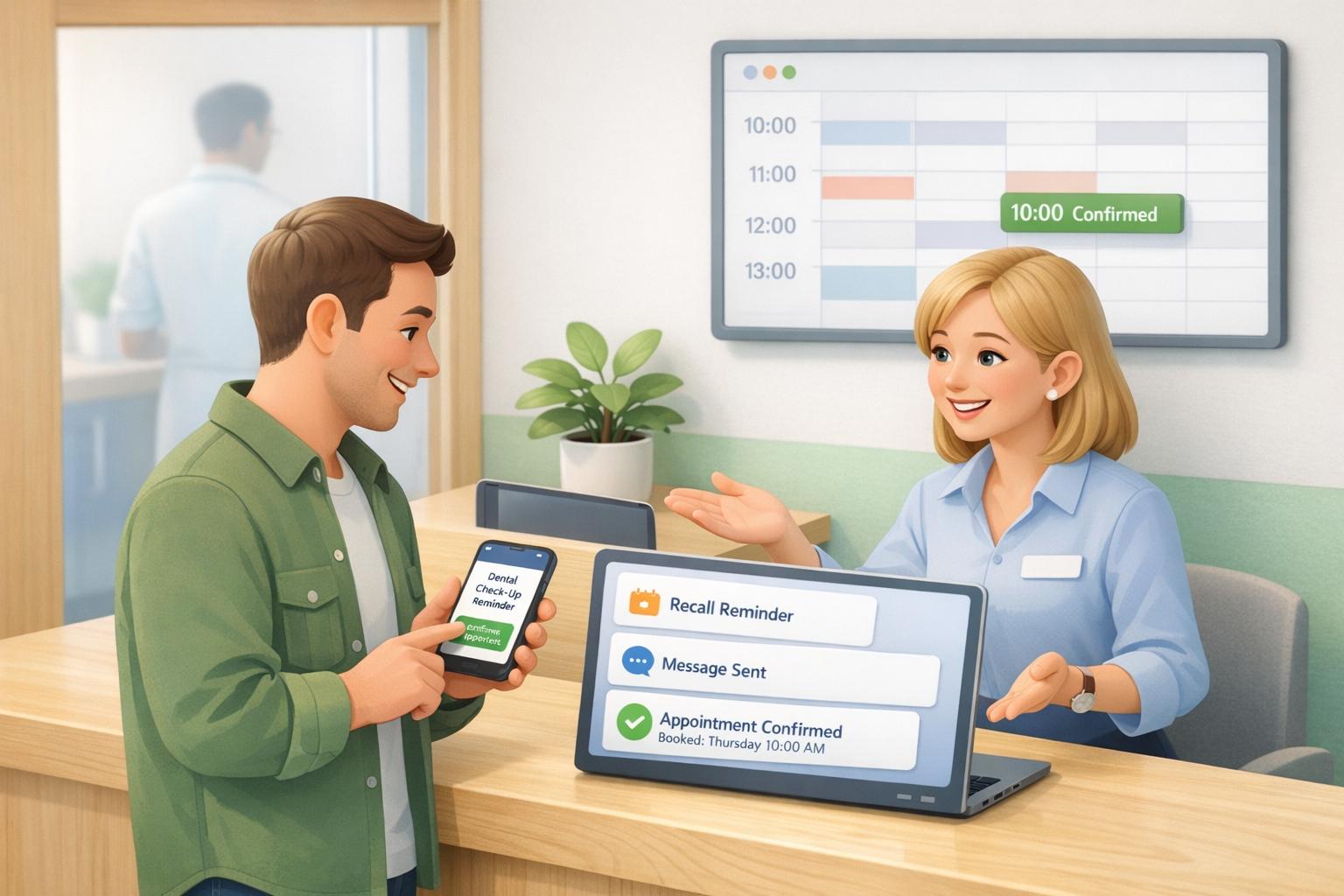
Automated reminders are another essential feature. Top systems allow you to customise reminder schedules - for example, sending notifications a week before and again 24 hours prior to appointments. These reminders should also let patients confirm or cancel directly, reducing no-shows and saving staff time. Two-way messaging is a bonus, enabling patients to reply to messages instead of calling, which helps cut down on phone traffic.
Online booking is a must for patient convenience but should still allow dentists to control clinical decisions. Look for systems that restrict certain appointment types from being booked online, include triage questions for new patients, and sync seamlessly with your main calendar. For example, Remedico’s Patient Flow™ takes this further by pre-screening patients and routing them to the correct appointment type automatically.
Once scheduling is streamlined, the next area to focus on is clinical record management and treatment planning.
Clinical Records and Treatment Planning
Speed and ease of use are critical when it comes to charting. If entering data takes longer than jotting it down on paper, clinicians may resist using the system. Prioritise platforms with user-friendly visual interfaces that support both FDI and Palmer notation systems. These should allow for quick entry of findings, clearly distinguishing between existing conditions and proposed treatments. For periodontal charting, ensure the system captures pocket depths, bleeding, recession, mobility, and furcation involvement, while also generating summaries that can help explain findings to patients.
Treatment planning tools should allow for multiple plan options per patient - for example, offering an NHS pathway alongside a private alternative. These plans should include itemised costs and a clear status trail from proposed to completed treatments. Digital consent workflows are also vital. Look for features like built-in consent templates, the ability to capture patient signatures on tablets or mobile devices, and automatic filing into the patient’s record. From a regulatory standpoint, the system must timestamp all entries, identify the author through unique logins, and log any changes for audit purposes [12].
Billing, Reporting, and Analytics
For practices in the UK, billing tools need to handle both private fee schedules and NHS-specific workflows, including UDA tracking and claims submission via Compass/EDI. Features like batch invoicing, chairside charge posting, and digital integrations for card terminals can significantly reduce administrative tasks. Integrations with patient finance options are also valuable, as offering monthly payment plans for higher-cost treatments can encourage patient acceptance.
On the reporting side, look for dashboards that provide real-time insights into key metrics such as daily production per provider, chair utilisation, DNA (Did Not Attend) rates, cancellations, treatment acceptance rates, and aged debt. Systems like Remedico’s Owner’s Dashboard make this data accessible from any device, eliminating the need for manual report exports. For practices with multiple locations, the ability to compare performance across sites in a single view is especially helpful [3].
When evaluating vendors, request a live walkthrough of essential workflows - such as registering a new patient, conducting a periodontal review, or submitting an NHS claim - rather than relying on polished demos. This hands-on approach will give you a clearer picture of how the software performs in real-world scenarios.
Step 4: Understand Costs, Pricing Models, and Hidden Expenses
Once you’ve narrowed down your options, it’s essential to dig deeper into the total cost of ownership over two to three years. The upfront price tag often doesn’t tell the whole story.
Subscription Models and Add-Ons
In the UK, dental software typically follows one of three pricing models:
- Per-user pricing: Ranges from £60–£120 per clinician per month. This is ideal for smaller practices but can become costly as your team grows.
- Per-location pricing: Costs around £250–£600 per site monthly and is often better for larger practices with multiple dentists.
- Tiered plans: Bundles features into packages, offering flexibility but requiring careful comparison of what’s included.
However, the base subscription is just the starting point. Extras like SMS reminders, online booking, recall campaigns, and third-party integrations can add £30–£150 per month each. To avoid surprises, request an all-inclusive quote tailored to your patient volume, appointment numbers, and SMS usage. Comparing only the base licence cost can lead to misleading conclusions.
For example, Remedico offers a flat-fee model at $99 per doctor per month, which includes scheduling, billing, and tools like Patient Flow™ and RemedicoGPT™. Their package also provides 1,000 free WhatsApp reminders, free setup, training, and integrations, with no hidden fees or lock-in contracts. This transparent pricing can simplify budgeting and reduce unexpected costs.
Don’t forget to factor in additional expenses such as data migration and training.
Data Migration and Training Costs
Transferring your existing data can cost anywhere from £500 to over £2,000, depending on the complexity and volume of records. Some vendors advertise free migration but may limit the number of patient records or years of history included. Anything beyond these limits often incurs extra fees.
Training is another area that’s easy to underestimate. While remote onboarding may be included, on-site training days can cost £700–£1,500 each, plus travel expenses. It’s essential to plan for both initial training and ongoing sessions for new staff. Without adequate training, your team may struggle with workflows, leading to missed appointments and other errors.
Pricing Comparison Table
Here’s a breakdown of common cost areas and potential pitfalls to watch for:
Cost Area | What to Ask Vendors | Common Pitfall |
|---|---|---|
Base subscription | Is pricing per user, per location, or tiered? | Comparing base prices without considering user count or site needs |
SMS & reminders | Are they included or charged per message/bundle? | Assuming reminders are free when they’re a paid add-on |
Online booking | Is it included or an additional fee? | Discovering it costs an extra £50–£150/month after signing |
Data migration | Is it a fixed fee or per-record? What’s included? | “Free migration” that excludes charts, images, or older records |
Training | How many sessions are included? Remote or on-site? | No refresher training for new staff after the initial setup |
Integrations | Is there a one-off setup fee or ongoing connector fees? | Monthly fees for essential integrations like imaging or accounting tools |
Contract terms | What’s the minimum term and notice period? | Auto-renewals requiring 3–6 months’ notice to avoid a full-year commitment |
Data export | Is it free and unrestricted, or are there exit fees? | Paying extra to retrieve your own patient data when switching vendors |
To make an informed decision, calculate the three-year total cost of ownership. This should include subscriptions, add-ons, data migration, training, SMS usage, and any likely price increases. A seemingly cheaper option can quickly become more expensive once all these factors are accounted for.
Step 5: Test and Shortlist the Right Software for Your Practice
After narrowing down your options based on features and costs, it’s time to see how each system holds up in a real-world setting. A polished sales demo might look impressive, but the real test is how the software performs with your team’s daily tasks.
Testing Real-World Workflows
Sales demos often highlight the best-case scenarios, but your testing should focus on how the software handles your practice’s actual workflows.
Start by identifying five to seven essential tasks your team performs regularly. Examples include registering a new NHS or private patient, booking and rescheduling appointments, sending recall reminders, completing clinical exams with charting and treatment plans, raising invoices, and running daily takings reports. Ask the vendor to demonstrate these scenarios live, then let your team try them out in a sandbox or trial environment.
Pay attention to how intuitive the system feels. Count the number of clicks needed for common tasks and check if staff can complete them without ongoing assistance. For instance, booking an appointment or updating a patient record should be straightforward. If your team struggles even after a guided demo, that’s a red flag. [2][5][6]
Workflow to Test | Key Indicators |
|---|---|
New patient registration | Speed, GDPR consent capture, NHS/private patient distinction |
Appointment booking and rescheduling | Calendar clarity, double-booking alerts, waiting list |
Recalls and reminders | Automation rules, SMS/email reliability, communication logs |
Clinical charting and treatment planning | Template quality, ease of updating during a busy session |
Billing and reporting | Correct fee scales, daily takings, clinician-level filters |
Team Involvement in Decision-Making
A frequent mistake is leaving the final decision to one person, often the principal dentist or practice owner. However, receptionists, nurses, and other frontline staff are the ones who will use the system most, and they’re likely to notice practical issues that might be overlooked in a management-level demo.
Organise short, role-specific testing sessions for different groups. Receptionists, for example, should focus on appointment booking, recalls, and patient messaging. Clinicians should test charting, clinical notes, and referral letters. Practice managers can evaluate reporting, access controls, and compliance tools. After each session, gather feedback with a simple form asking questions like: “What worked well?”, “What felt slow or confusing?”, and “Would you be happy using this every day?” [2][5]
Pay special attention to feedback on critical areas like clinical records, NHS claims, and audit trails. While interface preferences are worth considering, the system’s reliability and safety in essential functions should take priority. Use this feedback to guide your discussions with vendors.
Questions to Ask Vendors
After completing your tests, follow up with vendors to clarify key aspects:
- Data migration: “How many UK practices of a similar size have you migrated from our current system in the last 12 months? What data fields are included - appointments, clinical notes, X-rays, financial records?”
- Support: “What are your UK support hours? What’s your typical response time for urgent issues?”
- Training: “What’s included for new starters? Are there on-demand videos, live sessions, or CPD-accredited webinars?”
- Contract terms: “What’s the minimum term and notice period? How do we export our data if we leave?”
- Integrations: “Which imaging systems and payment providers do you integrate with today? Are there extra charges?” [3][6]
For example, Remedico includes free setup, training, and integrations as part of its standard plan. Their offering also includes 24/7 priority support and secure data migration, which can serve as a useful benchmark when comparing vendors and identifying hidden costs.
Key Takeaways: How to Choose Dental Practice Management Software
Choosing the right dental practice management software involves a clear, step-by-step approach. First, identify your practice’s specific needs. Then, decide whether cloud-based or server-based software suits you best. Compare how each shortlisted system handles your essential workflows. Assess the total cost over three to five years, not just the monthly fee. Finally, conduct hands-on trials with your team before making a commitment. These steps ensure your software aligns with both clinical and operational priorities.
Clinical compatibility is just as important as features. For instance, a practice focused on restorative treatments will need efficient charting tools, robust treatment planning features, and quick access to radiographs during consultations. On the other hand, practices with a heavy focus on hygiene require accurate periodontal charting and simple BPE recording. If the software slows down your workflow, it doesn’t just affect admin tasks - it can also impact patient care and treatment acceptance.
Efficiency gains are another critical factor. For example, UK practices that use automated appointment reminders have reduced DNA (Did Not Attend) rates by approximately 30% compared to manual systems [7]. Integrated digital workflows can save 10–20 minutes per patient by streamlining admin and clinical documentation [3]. Over a busy day, these time savings can make a big difference.
When it comes to costs, don’t just focus on the subscription fee. Factor in expenses like data migration, staff training, and any extra modules you might need. Comparing costs over three years gives a clearer picture of the financial commitment.
Lastly, make sure at least two team members - one from the clinical side and one from the front desk - have tested the trial software thoroughly. Their feedback is crucial to ensure the system is practical for daily use. Explore options like Patient Flow™, Smart Calendar, and Dentaverse® to see how they handle scheduling, clinical records, patient communication, and compliance in real-world scenarios.
FAQs
Will cloud dental software work if my internet goes down?
Yes, but there are some constraints. Cloud-based dental software, like Remedico, typically depends on an internet connection for core features such as accessing patient records or managing appointments. That said, many platforms now include limited offline capabilities or the option to use mobile data for crucial tasks. To minimise disruptions during internet outages, look for software that offers offline access or backup solutions, such as secure data exports or local backups, to handle essential operations until connectivity is restored. :::
What data must the software store for GDPR and CQC?
The software needs to securely handle sensitive patient information, including clinical records, treatment histories, consent forms, appointment schedules, and financial details. To meet GDPR and CQC requirements, it should feature encryption, audit trails, automated backups, and role-based access controls.
Additionally, it should allow data to be exported in standard formats such as CSV or XML, ensuring that the practice retains full ownership of its data at all times. :::
What hidden costs should I budget for beyond the monthly fee?
When calculating your budget, keep in mind that the monthly fee is just one part of the overall cost. You should also factor in setup expenses, such as data migration and onboarding, along with staff training costs. If you need the system to integrate with existing tools like billing or imaging software, this could lead to additional charges. On top of that, optional extras - like SMS reminders or hardware upgrades - might also come with a price tag. Accounting for these elements will give you a clearer picture of the total investment required. :::