Dental Receptionist Onboarding Checklist for the First 90 Days
A structured 90-day onboarding plan is essential for training dental receptionists effectively. Without it, mistakes like booking errors, compliance breaches, and poor patient communication can disrupt a practice.
Here’s a quick breakdown of the onboarding process to ensure smooth transitions:
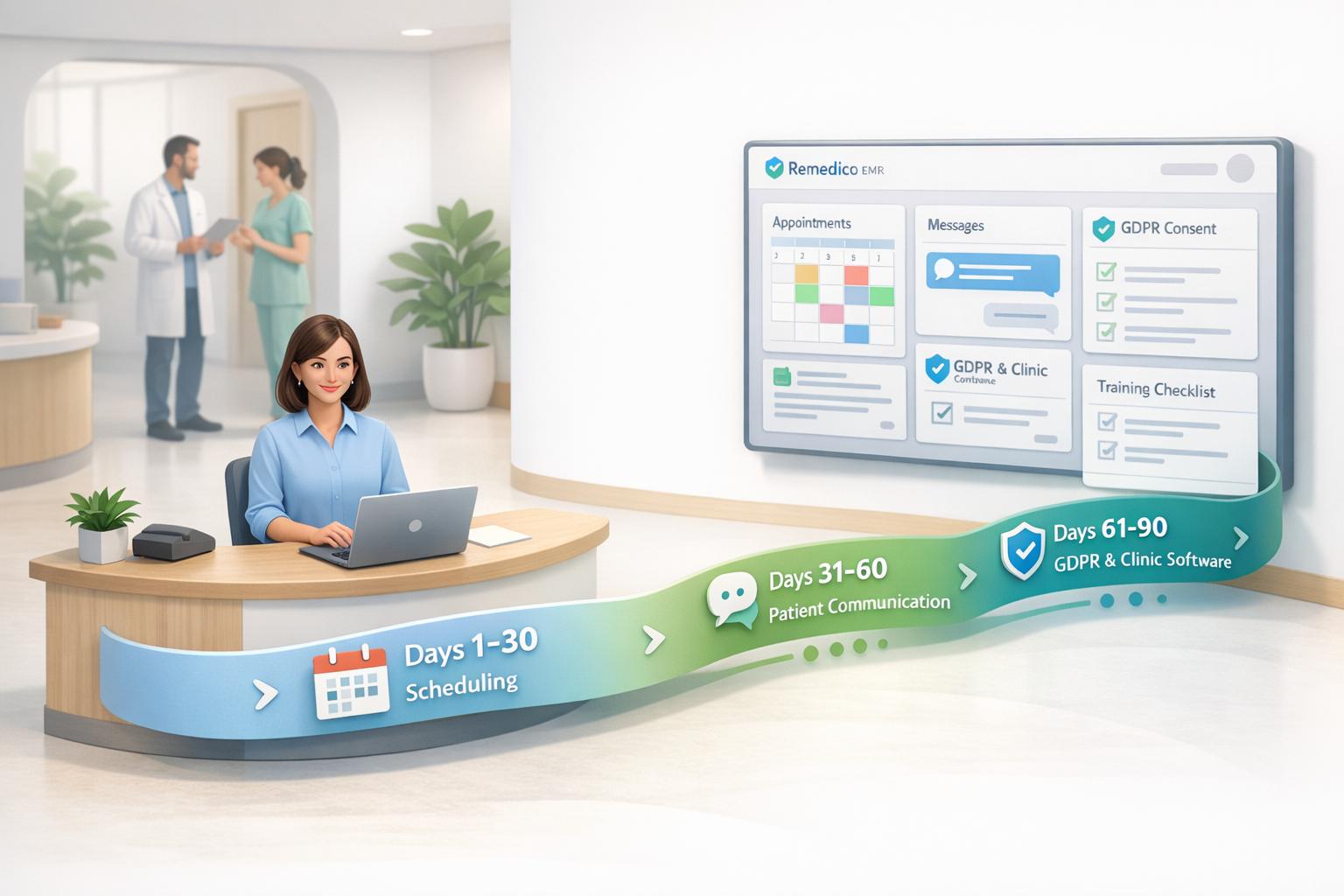
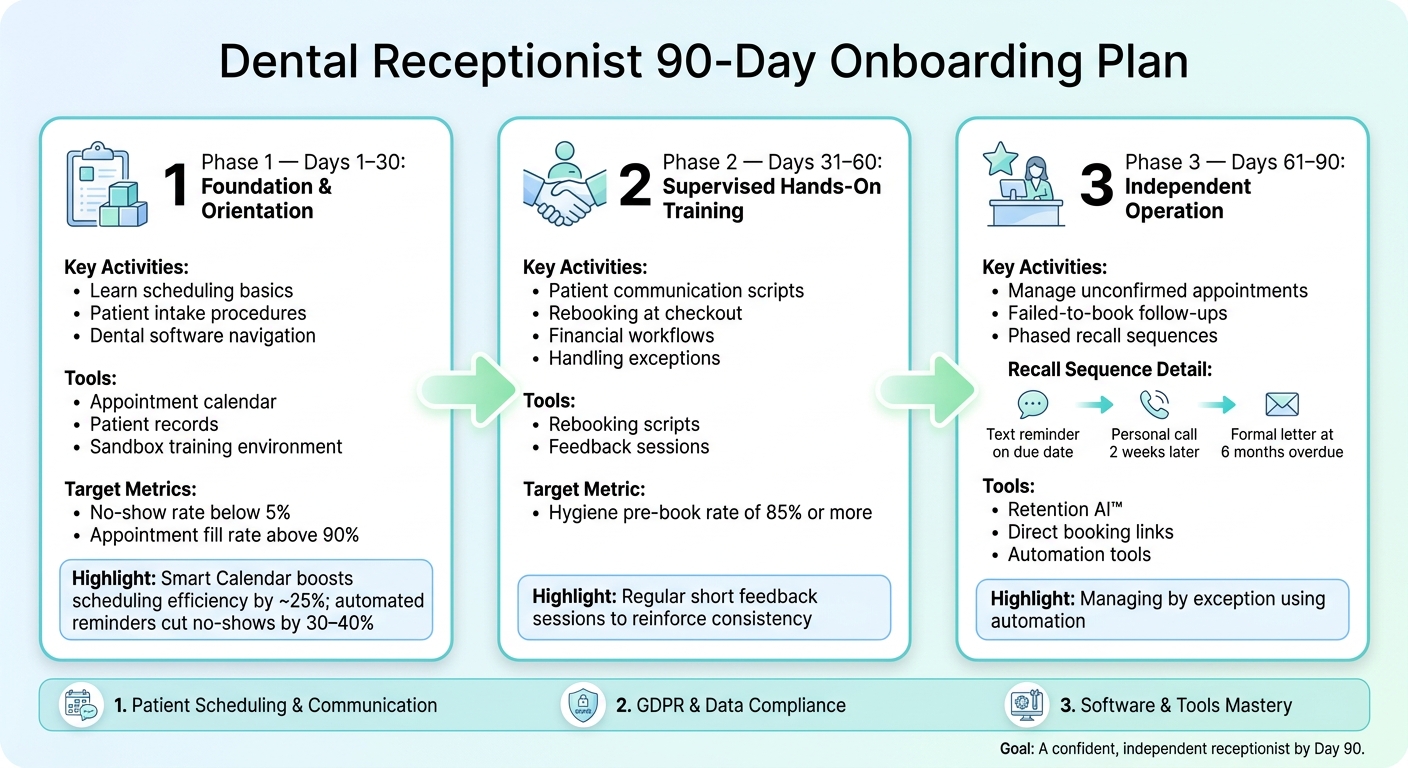
- Days 1–30: Focus on learning the basics, like scheduling, patient intake, and dental software. Use practice tools such as appointment calendars and automated reminders to reduce errors.
- Days 31–60: Hands-on training with supervision. Emphasise patient communication, rebooking scripts, and consistent feedback to refine skills.
- Days 61–90: Transition to working independently. Manage recalls, follow-ups, and unconfirmed appointments using automation tools to save time and maintain efficiency.
Key training areas include patient scheduling, communication, compliance with GDPR, and mastering clinic software. Avoid common pitfalls like booking errors, inconsistent logs, and data mishandling by implementing daily checks and using tools like Remedico for automation and data security.
Why it matters: Effective onboarding reduces staff turnover, improves patient retention, and ensures compliance, saving practices both time and money.
The 90-Day Onboarding Framework
@figure {Dental Receptionist 90-Day Onboarding Plan} :::
A well-structured 90-day onboarding checklist helps dental receptionists transition from initial orientation to working independently. Breaking this period into three phases provides clear goals for the new receptionist and measurable milestones for practice managers. Each step builds on the previous one, ensuring a steady path to full autonomy.
Days 1–30: Foundation and Orientation
The first month is all about mastering the basics and building confidence. New receptionists should familiarise themselves with the practice’s policies, patient intake procedures, and the dental software they’ll use daily. Training should focus on tools like the appointment calendar, patient records, and communication workflows.
A practical approach is to use a sandbox environment within the dental software. This allows the receptionist to practise tasks like scheduling and payment processing without the risk of altering live data. This setup reduces anxiety around making mistakes. To track progress, aim for key metrics such as a no-show rate below 5% and an appointment fill rate above 90%.
“Dental software in 2026 is not an expense. It’s an operating system.” - Britishpidya [2]
Tools like Remedico’s Smart Calendar can boost scheduling efficiency by about 25%. Additionally, automated reminders sent via WhatsApp or SMS can cut no-show rates by 30–40%. Early exposure to these tools benefits the entire practice.
Days 31–60: Hands-on Training with Supervision
The second phase shifts to supervised, hands-on training. With the basics covered, the focus moves to mastering patient interactions and scripts. For example, teaching a receptionist to use a direct rebooking script at checkout can help secure future appointments. A script might sound like:
“Let’s book your next visit while you’re here - how does Thursday at 10am work for you?”
High-performing practices aim for a hygiene pre-book rate of 85% or more [1]. Regular, short feedback sessions during this phase encourage consistency in patient communication, financial workflows, and handling exceptions.
Days 61–90: Working Independently
By the final stage, the receptionist should be ready to operate independently. This includes managing unconfirmed appointments, following up on “failed-to-book” cases with direct booking links, and overseeing phased recall sequences. For recalls, a structured approach could include a text reminder on the due date, a personal call two weeks later, and a formal letter at six months overdue.
At this point, managing by exception becomes essential. Rather than manually following up on every patient, a skilled receptionist uses automated tools, such as Remedico’s Retention AI™, to identify cases needing personal attention. This keeps the front desk efficient while supporting patient retention efforts.
Key Training Areas for Dental Receptionists
When onboarding dental receptionists, focusing on three main training areas during the first 90 days is crucial: patient scheduling and communication, compliance and data protection, and software and tools. Excelling in these areas can turn a front desk into a well-oiled machine instead of a source of chaos.
Patient scheduling and communication
Scheduling training is all about understanding the rhythm of the practice. Receptionists need to learn each clinician’s preferred time slots, how long specific treatments take, and how to squeeze urgent cases into an already packed diary. They also need to enforce cancellation policies consistently and handle late arrivals in a way that doesn’t alienate patients.
Communication is equally important. Training should cover phone etiquette, crafting professional emails and SMS messages, and managing face-to-face interactions. A key habit to instil early is logging every meaningful patient interaction. This ensures any team member can seamlessly pick up where another left off, avoiding repeated conversations that can frustrate patients.
“Dental recall automation UK is not about replacing reception. It is about making sure overdue recalls, hygiene reminders, confirmations, and DNA follow-up happen consistently, even when the front desk is busy.” - Silverstone AI Editorial Team [1]
Once these scheduling and communication basics are in place, the next step is ensuring compliance with data protection standards.
Compliance and data protection
Receptionists must handle patient data with care and comply with GDPR requirements. This isn’t just about signing off on policies - they need practical training. For example, they should know how to correctly collect and update patient details, record communication consent, and handle requests like subject access or changes to preferences.
Physical actions also play a big role: ensuring screens aren’t visible from the waiting area, avoiding reading sensitive information aloud, and never leaving paper records unattended. Receptionists should also be prepared to explain how patient data is used and direct patients to the practice’s privacy notice. They must also know how to respond if a data breach occurs, like accidentally sending information to the wrong email address.
Tools like Remedico simplify GDPR and CQC compliance. Features like role-based access controls and audit trails allow receptionists to manage data responsibly without adding unnecessary complexity to their workflow. These skills form the backbone of a receptionist’s ability to work independently.
Software and tools training
After laying the groundwork with communication and compliance, it’s time to focus on the clinic’s software and tools. Research shows that many dental staff feel unprepared to use new software without targeted training [2]. A gradual, task-based approach is far more effective than overwhelming new hires with everything at once.
Start with the basics in the first week: logging in, navigating the dashboard, and checking patients in and out. Over the next few weeks, introduce appointment booking and communication templates. Once these are second nature, move on to advanced tasks like managing recall campaigns, maintaining waiting lists, and recording payments. This step-by-step approach ensures new receptionists build confidence and competence with the tools they’ll use daily.
sbb-itb-d8b42ea
Common Onboarding Mistakes and How to Avoid Them
Building on the training stages discussed earlier, here are some frequent pitfalls that new receptionists encounter during their first 90 days - and tips to sidestep them.
Most of these issues follow predictable patterns, and with a well-structured onboarding plan, they can be addressed before they become ingrained habits.
Mistake 1: Booking errors and double-booking
New receptionists often make mistakes like selecting the wrong appointment type, booking the incorrect clinician, or overlooking pre-booked lab slots. In multi-surgery practices, they might also forget to check room availability or session types before confirming bookings. These errors can lead to diary conflicts, frustrated clinicians, and upset patients who arrive to find their appointment doesn’t exist.
To avoid this, adopt a “before you confirm” routine: always double-check the clinician’s schedule, appointment type, duration, and session details. Tools like Remedico’s Smart Calendar make this process easier by offering appointment templates and colour-coded sessions for NHS and private bookings. During the onboarding period, a senior team member should review the diary daily to catch and correct any mistakes early.
Mistake 2: Inconsistent communication logs
Failing to properly log calls, texts, or walk-in queries can disrupt the entire team’s workflow. Without clear records, clinicians might be left without crucial information, patients could receive duplicate reminders (or none at all), and recall efforts may falter. In CQC-regulated environments, inadequate record-keeping can also raise red flags during inspections.
To prevent this, ensure every interaction is documented with the date, time, outcome, and the receptionist’s initials. Incomplete logs create confusion and leave colleagues without the context they need. Remedico’s Patient Flow™ simplifies this process by providing a unified communication timeline for each patient, complete with note templates that encourage consistent documentation from the very beginning.
Mistake 3: Poor handling of patient data
Data mishandling at the front desk can take many forms, from leaving a computer screen unlocked to discussing patient details within earshot of others in the waiting room. Even something as simple as leaving a printed patient list on the desk can lead to serious breaches of confidentiality.
Onboarding should stress the importance of safe data handling, with clear daily practices in place. These include locking screens when stepping away, verifying identities before sharing clinical details over the phone, and knowing who to notify if a mistake occurs. Remedico supports these practices with features like role-based access controls, automatic session time-outs, and audit logs, ensuring that the software reinforces the receptionist’s training rather than relying solely on memory.
Conclusion: Building a Confident, Capable Receptionist in 90 Days
With a structured 90-day onboarding checklist, a dental receptionist can quickly gain the skills needed to manage clear processes, master essential software, and communicate effectively. This preparation ensures they become an immediate asset to the practice. Without such a plan, issues like booking errors, data mishandling, and patient dissatisfaction can arise, impacting the practice’s efficiency and reputation.
Why structured onboarding pays off long term
The front desk plays a critical role in patient retention. Practices with retention rates above 80% can see up to 30% higher revenue compared to those at 60% [1]. Moreover, retaining an existing patient costs just £15–£40 annually, while acquiring a new one can range from £160–£400 [1]. Missed recalls and follow-ups aren’t just administrative oversights - they carry significant financial consequences. A 90-day onboarding framework helps establish the right habits early, making it a worthwhile investment for any practice.
How Remedico supports the onboarding process
Remedico enhances the onboarding journey by offering tools that minimise early mistakes and streamline daily tasks. For example:
- The Smart Calendar simplifies scheduling with colour-coded sessions and appointment templates, reducing confusion.
- Patient Flow™ automates digital intake and tracks patient journeys, saving around 9–10 hours of manual data entry per month.
- RemedicoGPT™ manages note-taking and form-filling, allowing receptionists to focus on patient interactions.
- Retention AI™ automates reminders via SMS, WhatsApp, or email, ensuring recalls are handled consistently, even during busy periods [1].
“Dental recall automation UK is not about replacing reception. It is about making sure overdue recalls, hygiene reminders, confirmations, and DNA follow-up happen consistently, even when the front desk is busy.” - Silverstone AI Editorial Team [1]
These tools enable receptionists to focus on core responsibilities rather than putting out fires, ensuring the practice operates smoothly from day one. With this level of support, the 90-day checklist becomes a launchpad for developing a receptionist who can confidently and independently manage the front desk.
FAQs
What should a new dental receptionist learn in week one?
In their first week, a new dental receptionist should prioritise getting familiar with the practice management software and mastering essential front-desk tasks. This includes navigating the digital calendar for scheduling appointments, managing patient check-ins and check-outs, and confirming upcoming bookings.
They should also focus on updating patient records, documenting digital consent forms, and adhering to GDPR regulations. Additionally, learning the team’s rebooking script will help ensure patients stick to their scheduled appointments. :::
How can I measure onboarding progress by day 30, 60, and 90?
Tracking progress with your practice management software can make onboarding and performance reviews more effective. Here’s how to break it down:
- By day 30: Evaluate how well the receptionist is managing bookings using tools like the Smart Calendar. Can they efficiently access and organise patient records?
- By day 60: Focus on their ability to handle patient communications and manage recall systems. Are they keeping up with follow-ups and ensuring smooth communication?
- By day 90: Take a closer look at the bigger picture. Assess their impact on key metrics such as no-show rates, chair-time usage, and treatment acceptance. These numbers will give you a clear view of their contribution to the practice’s success.
Using these milestones ensures you’re not just monitoring but also supporting their growth effectively. :::
What GDPR mistakes are common at the dental front desk?
Mistakes with GDPR compliance at dental practices often start at the front desk. One of the big issues is not securing patient data properly. This can happen when using software that doesn’t encrypt data or storing information in locations outside the UK, which might not meet GDPR standards.
Another common problem is poor access management. For example, if too many people have unrestricted access to sensitive data, the risk of breaches increases significantly. Some practices still rely on paper-based systems, which are harder to secure and prone to errors. Without proper audit trails, tracking who accessed or modified patient data becomes nearly impossible.
Lastly, skipping regular staff training on GDPR and data handling protocols is a major oversight. Without proper training, front desk staff may unintentionally mishandle sensitive information, leading to breaches and compliance issues. :::