Modern Dental Practice Software UK and How to Switch Without Losing Data
Switching dental software in the UK can feel overwhelming, but it doesn’t have to be. Here’s what you need to know:
- Modern dental software simplifies admin work, ensures GDPR compliance, and improves efficiency with features like cloud access, automated communication, and NHS WebEDI integration.
- Data loss risks during migration are avoidable by testing exports, running a trial migration, and ensuring data fields match between systems.
- Key steps for a smooth transition include:
Cloud-based systems are transforming UK dental practices by reducing admin tasks, improving compliance, and enhancing patient care. With the right approach, you can switch without losing data or disrupting operations.
Dental Software Transition: How to Lead Your Team Through Change
What Modern Dental Practice Software UK Means for Your Practice
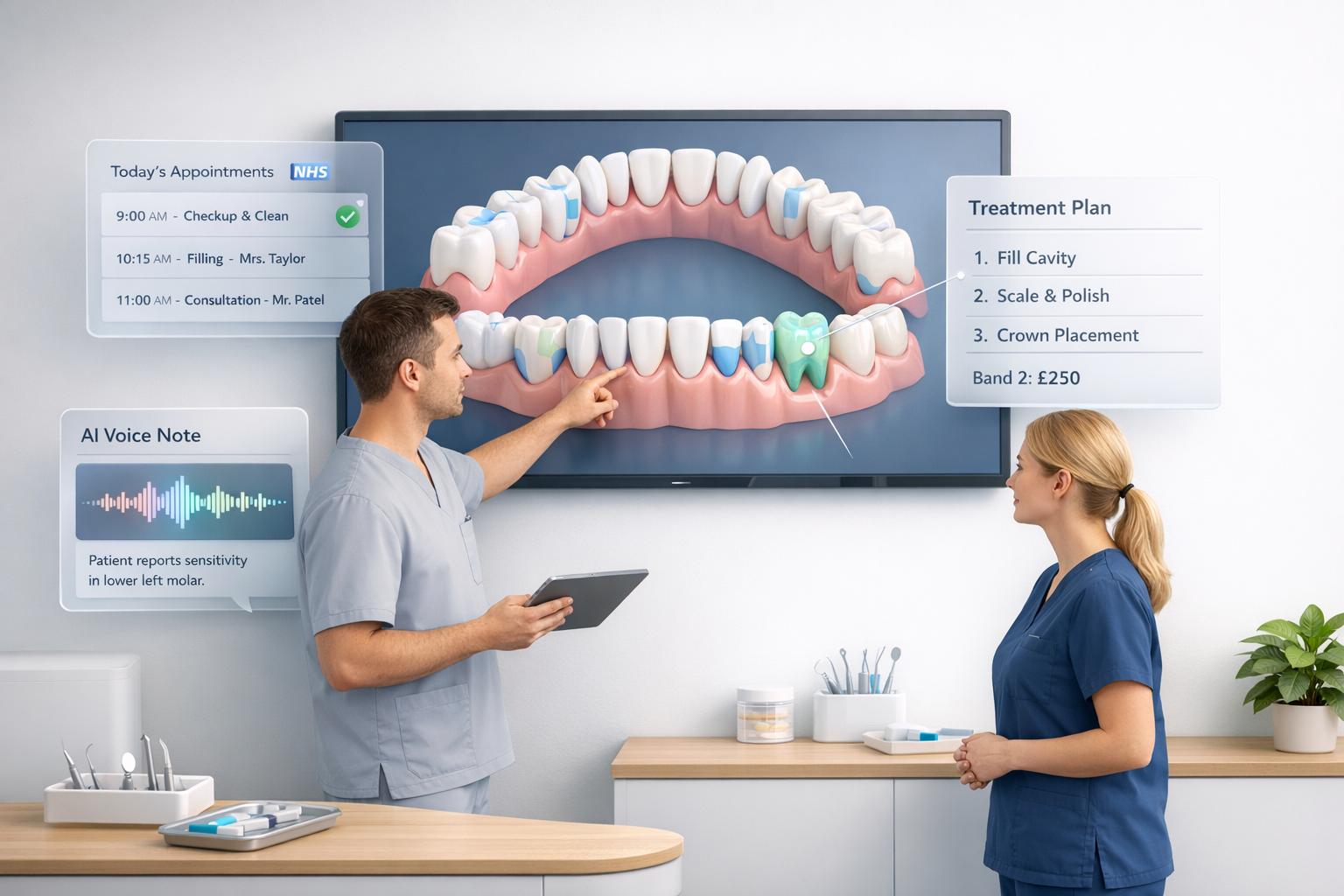
Modern dental practice software in the UK is transforming how dental clinics operate. These cloud-based platforms manage everything from appointments and patient records to billing and compliance - all within a single system. Unlike traditional on-premise setups that rely on local servers and require manual updates, these systems run entirely online. This means you can access appointments, clinical notes, and NHS claims from any device with an internet connection. The result? A smoother, more efficient way to handle both operations and patient engagement.
This shift is more than just a tech upgrade. As Britishpidya aptly stated in 2026:
Dental software in 2026 is not an expense. It’s an operating system. [3]
Your choice of software directly impacts your practice’s efficiency. It determines how quickly staff can schedule appointments, how reliably NHS claims are processed, and even how likely patients are to show up. A system that automates recalls and fills gaps in the schedule boosts revenue, while one that requires manual follow-ups can drain resources.
Core Features You Should Expect
Modern dental software is built to simplify workflows and enhance patient care. Here are the key features to look for:
- Cloud Access: Enables your team to work from anywhere, eliminating the need for local servers.
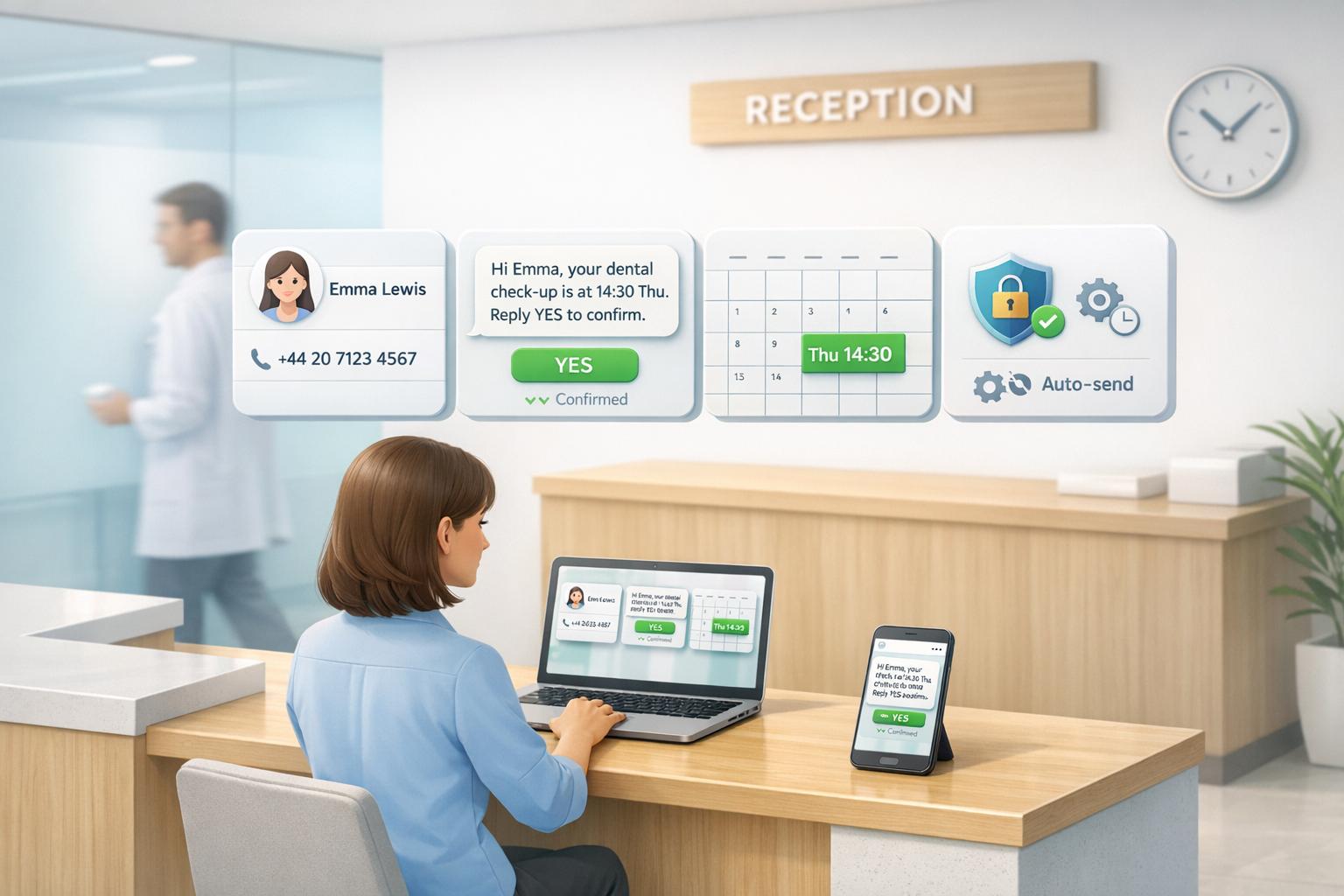
- Automated Patient Communication: Tools like WhatsApp or SMS reminders help reduce missed appointments.
- AI-Assisted Clinical Tools: These can turn spoken notes into structured treatment records, saving time for clinicians.
- NHS WebEDI Integration: Essential for practices handling NHS claims, as it minimises errors and recovers under-claimed revenue.
- Data Export Rights: Ensure you can download appointments, clinical histories, and financial data in a structured format, giving you flexibility to switch systems.
Additional features like 3D charting, digital consent forms, and patient portals can further enhance both management and patient experience.
These capabilities not only make day-to-day operations easier but also prepare practices for a seamless transition to cloud-based systems.
Why UK Practices Move to Cloud-Based Systems
The growing adoption of cloud-based systems in the UK is driven by their ability to reduce admin work and improve compliance. These platforms automate time-consuming tasks like recalls and diary management, allowing staff to focus more on patient care. For example, one cloud system received a 4.9/5 rating from clinic owners for significantly cutting administrative hours. [4]
Cloud systems also address compliance concerns by securely storing records with encrypted backups and ensuring GDPR requirements are met. They offer clear data export rights, giving practices the freedom to switch providers if needed, without the fear of vendor lock-in. This flexibility is a key reason why hundreds of UK practices have moved from legacy systems like EXACT to modern cloud platforms. The ability to avoid server maintenance and gain remote access has made these systems a popular choice.
On top of that, patient care benefits immensely. Automated reminders reduce no-shows, patient portals allow self-service options, and AI-powered tools free up clinical time, letting staff focus on what matters most - delivering quality care.
How to Switch Dental Software Without Losing Data
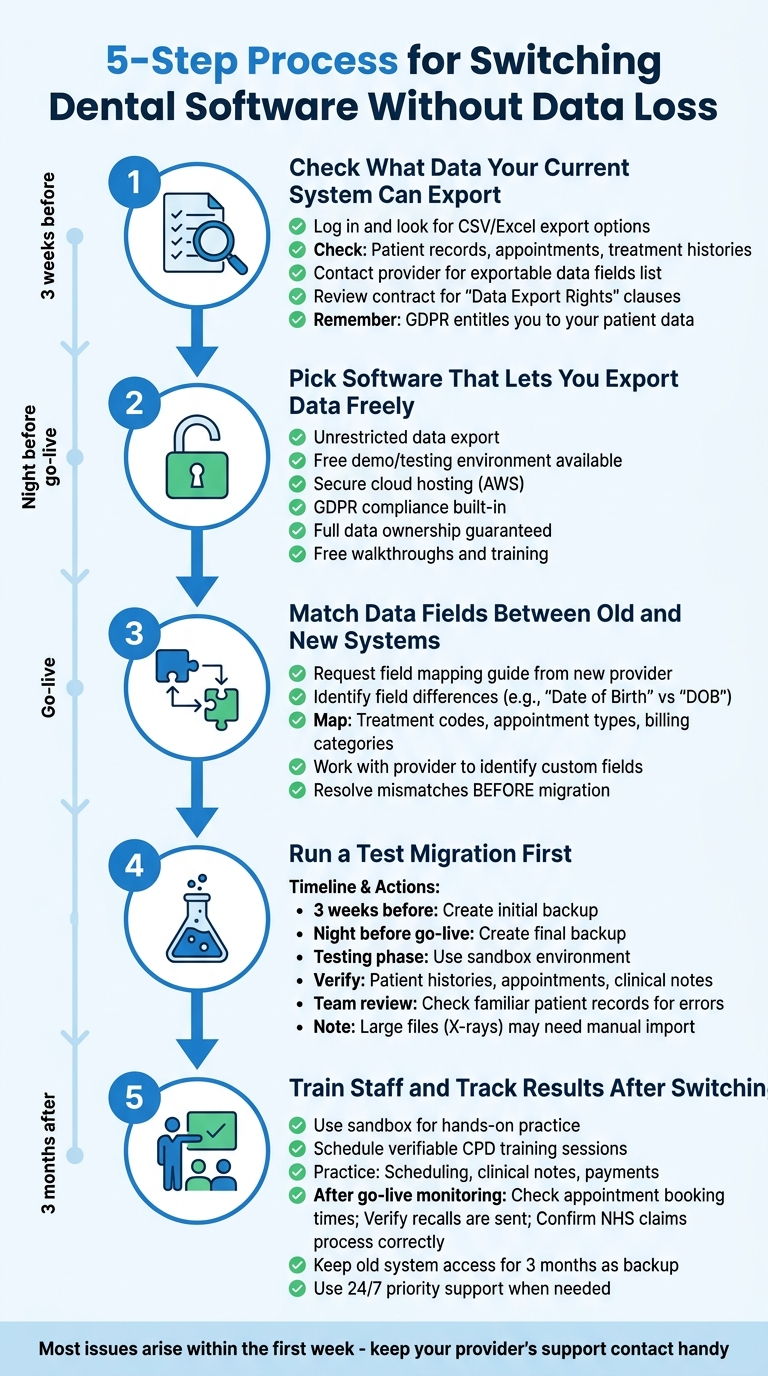
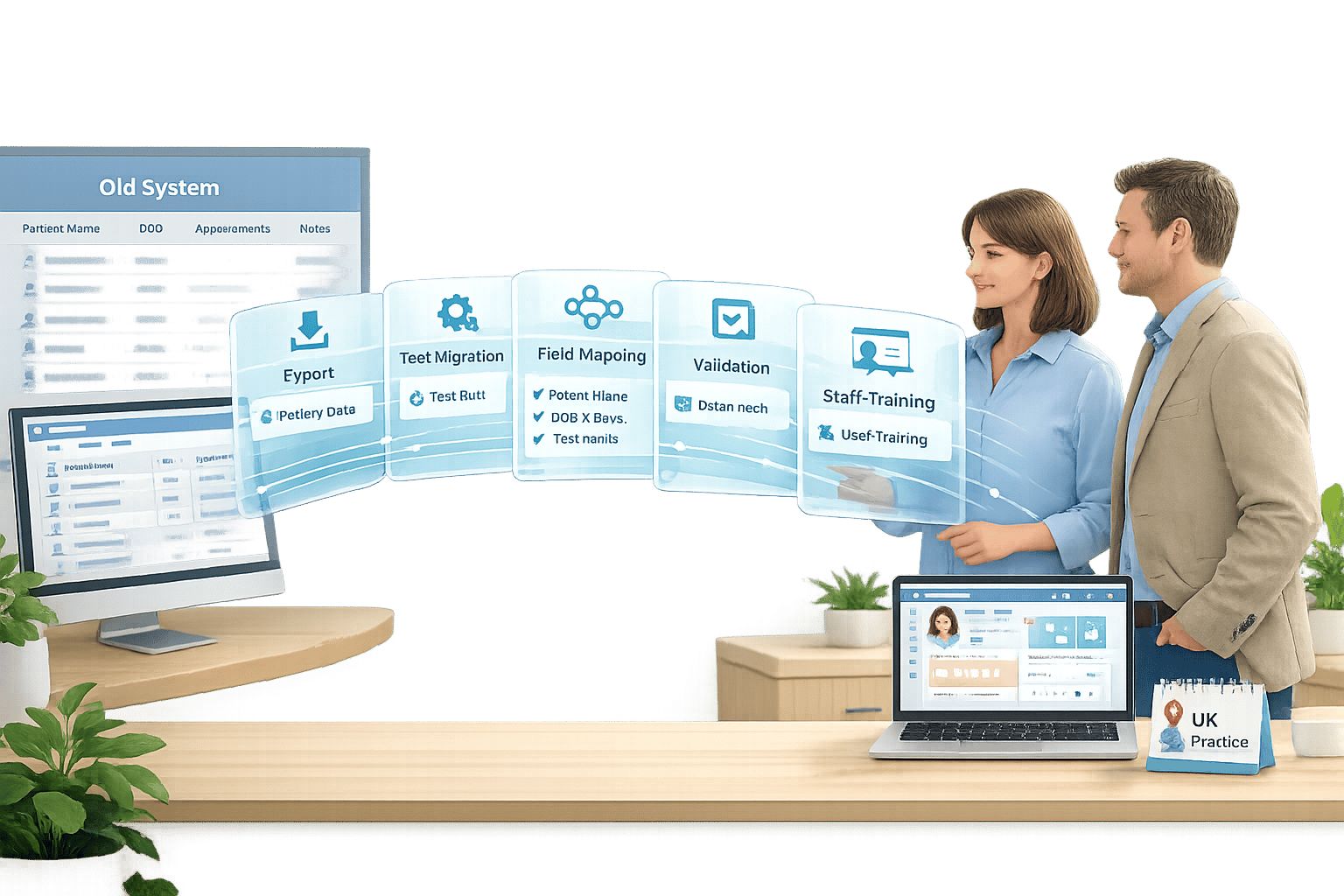
@figure {5-Step Process for Switching Dental Software Without Data Loss} :::
Switching dental software without losing data might sound daunting, but with the right approach, it’s manageable. Many UK practices succeed by testing their data and moving in stages. Here’s how to ensure a smooth, error-free migration.
Step 1: Check What Data Your Current System Can Export
Start by assessing what your current dental software allows you to export. Log in and look for CSV or Excel export options for patient records, appointments, and treatment histories. If you’re unsure, reach out to your provider and request a detailed list of exportable data fields. This step helps you understand what can be transferred automatically and what might need manual input.
If your provider imposes export restrictions or charges fees, examine your contract for clauses about “Data Export Rights.” Remember, under GDPR, you are entitled to access your own patient data. Modern systems like Remedico even assist with migrating data from Excel or other electronic medical record (EMR) formats [4].
Step 2: Pick Software That Lets You Export Data Freely
Choose a dental software platform that offers unrestricted data export. This ensures you retain control over your practice’s information and avoid vendor lock-in. Here’s a comparison of some popular options:
Feature | Remedico | Dentally | CareStack |
|---|---|---|---|
Migration Support | Help with migration from EMR or Excel [4] | Guided onboarding with account managers [1] | Legacy/alternative system [6] |
Testing Environment | Free demo available [4] | Sandbox account with practice data [1] | Not specified |
Hosting | Secure cloud hosting on AWS [4] | Cloud-based (Henry Schein One) [2] | Cloud-based |
Training | Free walkthroughs [4] | Verifiable CPD training [1] | Not specified |
Data Ownership | Full ownership, export anytime [4] | Data visibility provided [5] | Not specified |
Platforms like Remedico and Dentally prioritise GDPR compliance and provide secure cloud hosting. Remedico boasts a 4.9/5 rating from clinic owners and staff [4], while Dentally users praise its “amazing support” [5].
Step 3: Match Data Fields Between Old and New Systems
Data fields often differ between systems. For example, a “Date of Birth” field in one system might be labelled “DOB” in another. Treatment codes, appointment types, and billing categories can also vary.
To address this, request a field mapping guide from your new provider. Work with their team to identify unique data types or custom fields used in your practice. Sorting out these mismatches before migration reduces errors and ensures smoother patient care.
Step 4: Run a Test Migration First
Testing your migration process is essential. Start by creating an initial backup three weeks before the switch and a final backup the night before going live. Your provider can use this data to populate a sandbox environment - a test version of the software where you can verify the migration results without affecting live records.
In this sandbox, check that patient histories, appointment schedules, and clinical notes have transferred correctly. Have your team review familiar patient records to spot any discrepancies. If issues like missing data or formatting errors arise, your provider can resolve them before the final migration.
Large files, such as X-rays or high-resolution images, often require manual backup and import due to their size. Plan for a short delay in accessing these files after going live [1].
Step 5: Train Staff and Track Results After Switching
Once the test migration is successful, focus on training your team. Use the sandbox environment to help staff practise daily tasks - scheduling, recording clinical notes, and processing payments. This hands-on experience builds confidence and minimises errors on launch day.
Schedule verifiable CPD training sessions with your new provider [1]. These sessions guide your team through workflows using your actual practice data, making the transition smoother.
After going live, monitor the system’s performance closely. Check appointment booking times, ensure recalls are sent, and verify NHS claims are processed without errors. Most issues arise within the first week, so keep your provider’s support contact handy. Platforms like Remedico offer 24/7 priority support for immediate assistance.
Finally, retain access to your old system for at least three months. This backup serves as a safety net, allowing you to reference historical data while your team gets comfortable with the new software.
3 Mistakes Practices Make When Switching Software
Switching software can be a challenging process for many UK practices, often leading to predictable but avoidable mistakes. These missteps can turn a manageable transition into a drawn-out ordeal filled with data errors, operational hiccups, and frustrated staff. To ensure a smooth migration, steer clear of these common errors.
Skipping Data Export Tests
Failing to test your data export before going live is a recipe for mismatched records and potential medico-legal issues [1].
“Data accuracy is key to your use of Dentally, from both a medico-legal point of view and in terms of customer happiness.” [1]
Once the system is live, fixing errors becomes significantly more difficult [1]. Inaccurate data migration can lead to missed patient recalls, scheduling gaps, and lost NHS revenue opportunities [3].
To avoid this, thoroughly test your migration process. Request a sandbox environment from your provider and have your team cross-check patient histories, treatment notes, and billing records between the old and new systems. This step ensures everything aligns before going live. Pair this with comprehensive staff training to minimise future errors.
Not Training Staff Properly
Inadequate training can disrupt workflows, delay patient care, and lead to costly mistakes [2][3]. Untrained staff may miss charges, mishandle NHS claims, or create unnecessary write-offs [3]. The stress of adapting to a new system without proper preparation can also increase staff burnout and turnover [3][6].
“Change can feel challenging, especially for staff who have grown familiar with your current system.” - Dentally [1]
To prevent these issues, start training early and tailor it to specific roles. Receptionists and clinical staff often have different needs, so choose a provider that offers role-specific training. Look for options that include verifiable CPD courses to ensure your team’s training time is officially recognised [1]. Platforms like Remedico provide free setup, training, and round-the-clock support, helping your team adapt faster. Without proper training, practices may find themselves struggling, with up to 30% of calls going unanswered due to workflow confusion [7].
Ignoring Data Export Rights in Contracts
Choosing software that limits your ability to export data or imposes exit fees can leave you locked into a system. It’s essential to review contracts carefully to confirm your rights to free data exports and avoid unexpected costs. Under GDPR, you have the right to access your patient data, but some providers complicate or monetise this process.
“Dentally aligned perfectly with our vision; cloud-based, intuitive and built for modern practices, rather than legacy workflows.” - Dr. Kunal Patel, Love Teeth Dental [5]
Before signing a contract, request a business review to understand how the provider handles data migration, large files like X-rays, and onboarding support [2]. Platforms like Remedico ensure full data ownership, free exports at any time, and no lock-in fees [4]. Addressing these details upfront safeguards your data and streamlines the migration process.
Key Takeaways
Switching to modern dental practice software in the UK doesn’t mean you have to lose patient records or disrupt your daily operations. To ensure a smooth transition, start by testing your data export early. Plan a sandbox migration about three to four weeks before the official switch, and train your team using familiar patient data. This process not only safeguards your medico-legal obligations but also helps build your team’s confidence in the new system [1].
Modern cloud systems give you full control over your data. They allow you to export patient histories, treatment notes, and financial records whenever needed, making it easier to adapt as your practise evolves [4].
A good system does more than just store data - it helps improve efficiency. For example, platforms like Remedico reduce admin work with features like AI-generated notes and WhatsApp appointment reminders. They also help identify missed revenue opportunities through NHS integration. Rated 4.9/5 by UK clinic owners, Remedico offers full data ownership, free exports, and secure migration with built-in backups [4].
Before going live, take a final backup the night before to ensure you capture the most recent patient data. Be aware that larger files, such as X-rays, might need to be imported manually, which could cause a brief delay [1].
Moving to modern dental software isn’t just about replicating old workflows - it’s about creating a system that supports your practise’s growth. Look for platforms that offer clear pricing, provide verifiable CPD training, and deliver ongoing support to maximise their value.
FAQs
How long does switching dental software take in the UK?
Switching dental practice software in the UK usually takes between 2 to 4 weeks, depending on factors like the size of the practice and the complexity of its systems. This timeline includes several key steps: backing up existing data, migrating it to the new system, training staff, and thoroughly testing the new software.
For smaller practices, the transition can often be completed within 2 to 3 weeks, while larger or multi-site practices may require closer to 4 weeks. To ensure everything goes smoothly, it’s important to collaborate closely with your software provider, set clear timelines, and plan effectively for the onboarding process. :::
What patient data cannot be migrated automatically?
During data migration, some types of patient information often can’t be transferred automatically. These include custom notes, specific clinical images, and various non-standardised records. Handling these typically involves manual processes or extra steps to ensure they are correctly transferred. :::
What should I check in my contract about data exports?
When reviewing your contract, make sure it guarantees complete ownership of patient data and permits unlimited data exports whenever needed. The agreement should clearly state the data format (like CSV or XML) and confirm that no additional permissions or fees will be imposed. Check that the contract outlines a clear process for backups and data migration. Also, ensure it adheres to GDPR regulations, safeguarding your data rights under UK law. :::